Manage Documents in
One Client Workspace
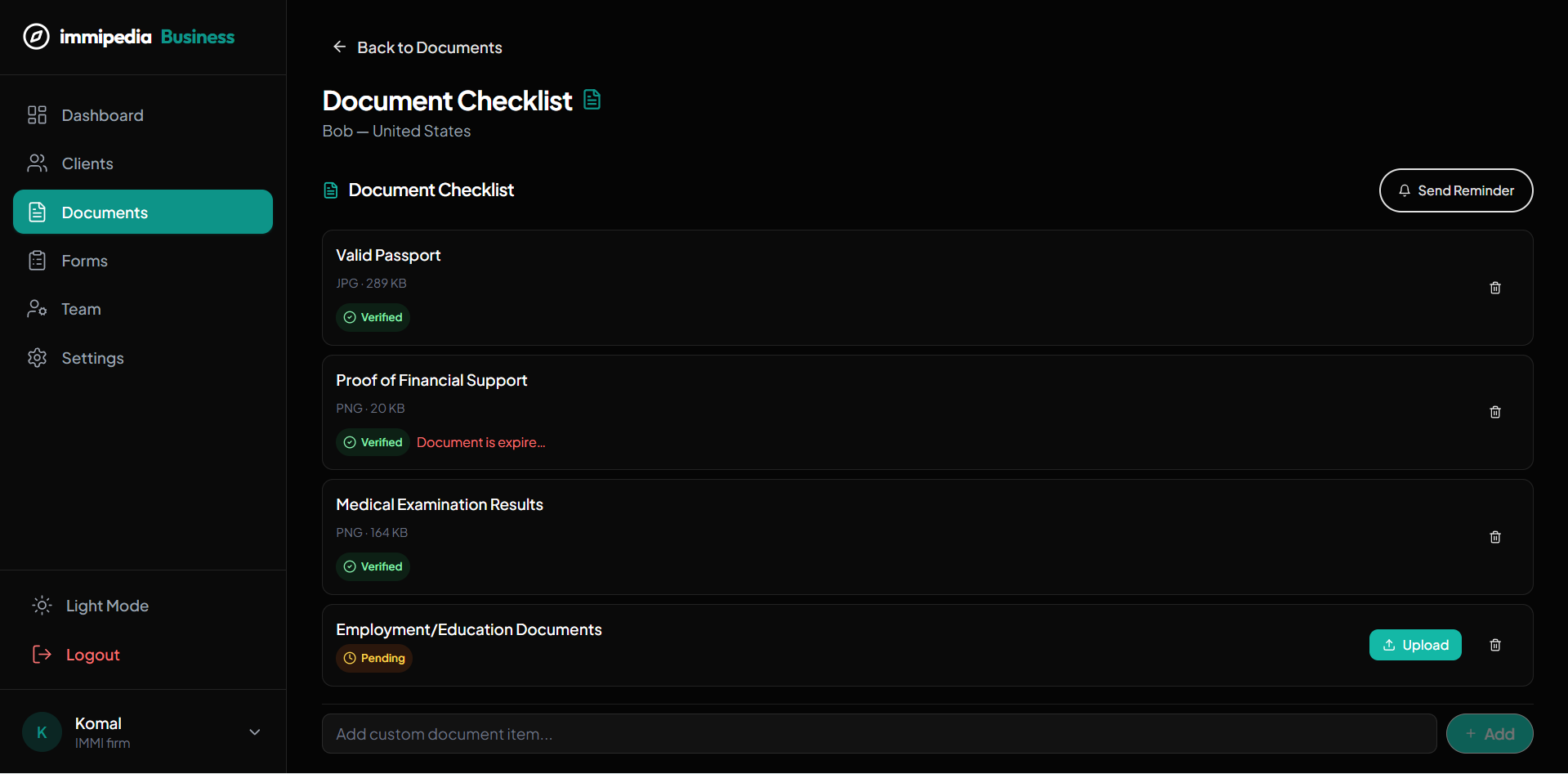
Generate and customize checklists, collect uploads, extract text, and verify or reject documents. AI form generation and reusable form templates are coming soon.
What's Included
Document checklists
Generate starting requirements from a client pathway and add custom items. Your team confirms which requirements apply.
Uploads and review
Upload PDF, JPG, or PNG files to a checklist item, then verify or reject the document after review.
OCR and activity history
View extracted text where available and a record of uploads and review actions. OCR output needs human review.
AI form generation - coming soon
Pre-filled immigration forms and a form-template library are planned. They are not available in the current workflow.
Client records, checklist items, and case progress in one place
What this means for your practice
See missing files
Distinguish checklist items awaiting upload from uploaded files awaiting review.
Request missing documents
Send a document reminder manually in the client portal. Scheduled and email document reminders are not currently available.
Review with context
Keep document status, notes, and activity attached to the relevant client.
Customize each case
Add individual checklist items for the needs of a specific case; requirements are not a guarantee of application completeness.
Related Solutions
Make document review a clear team responsibility.
Use the workspace to support professional judgment and make responsibilities visible to the people managing the case.
Assign responsibility
Make it clear who maintains the client record, reviews documents and follows up on missing information.
Review before progressing
Check uploaded evidence and record what needs attention before moving a case to the next stage.
Keep clients informed
Use the portal and messaging tools to share updates that your team has reviewed.
One clear next step.
Then the next.

Ready to Get Started?
Streamline your immigration practice with immipedia — start your free account today.